


OGC API : Features
- Author:
Jeff McKenna
- Contact:
jmckenna at gatewaygeomatics.com
- Author:
Seth Girvin
- Contact:
sethg at geographika.co.uk
- Last Updated:
2026-03-26
Background
OGC is undergoing a revolutionary effort around modernizing their API specifications to align with current technology and design patterns:
REST
JSON
OpenAPI (and Swagger)
The OGC API efforts represent a clean break from the first generation WxS specifications. This document is an attempt to describe MapServer support for (initially) the OGC API - Features server specifications. The modular nature of OGC API will allow for reuse of shared functionality (landing pages, conformance, collections, queryables, filtering, etc.) across various OGC APIs implemented in MapServer.
OGC API request/response design patterns consist of HTTP operations with GET (KVP) or POST (JSON) methods to specific query parameters. HTTP methods beyond GET/POST (PUT, DELETE, etc.) are envisioned as optional extensions for transactional capability.
Below are mappings between WxS specifications implemented in the MapServer suite and the relevant emerging OGC API standards.
WxS |
OGC API |
|---|---|
OWS Common |
OGC API - Common |
WMS |
OGC API - Maps |
WMTS |
OGC API - Tiles |
WFS |
OGC API - Features |
WCS |
OGC API - Coverages |
SLD |
OGC API - Styles |
Requirements
MapServer 8.0 or more recent (compiled with the -DWITH_OGCAPI CMake switch enabled) is required to implement OGC API.
Note
From MapServer versions 8.0.0 to 8.2.0, OGC API - Features also required the -DWITH_WFS CMake switch to be enabled.
This document assumes that you are already familiar with certain aspects of MapServer:
MapServer application development and setting up .map files.
Familiarity with the OGCAPI: Features spec would be an asset.
Setting Up an OGC API Server Using MapServer
Install the Required Software
OGC API requests are handled by the mapserv CGI program. The first step is to check that your mapserv executable includes OGC API support. One way to verify this is to use the “-v” command-line switch and look for “SUPPORTS=OGCAPI_SERVER”.
(Unix users should refer to the Compiling on Unix document for any compiling instructions, and Windows users might want to use MS4W, which comes ready with OGC API support)
Example 1. On Unix:
$ ./mapserv -v
MapServer version 8.7-dev PROJ version 9.7 GDAL version 3.11 OUTPUT=PNG
OUTPUT=JPEG OUTPUT=KML SUPPORTS=PROJ SUPPORTS=AGG SUPPORTS=FREETYPE
SUPPORTS=CAIRO SUPPORTS=SVG_SYMBOLS SUPPORTS=RSVG SUPPORTS=ICONV
SUPPORTS=FRIBIDI SUPPORTS=WMS_SERVER SUPPORTS=WMS_CLIENT SUPPORTS=WFS_SERVER
SUPPORTS=WFS_CLIENT SUPPORTS=WCS_SERVER SUPPORTS=SOS_SERVER
SUPPORTS=OGCAPI_SERVER SUPPORTS=GEOS SUPPORTS=PBF INPUT=JPEG INPUT=POSTGIS
INPUT=OGR INPUT=GDAL INPUT=SHAPEFILE INPUT=FLATGEOBUF
Example 2. On Windows:
C:\ms4w> mapserv -v
MapServer version 8.7-dev (MS4W 5.2.0) PROJ version 9.8
GDAL version 3.13 OUTPUT=PNG OUTPUT=JPEG OUTPUT=KML SUPPORTS=PROJ SUPPORTS=AGG
SUPPORTS=FREETYPE SUPPORTS=CAIRO SUPPORTS=SVG_SYMBOLS SUPPORTS=SVGCAIRO
SUPPORTS=ICONV SUPPORTS=FRIBIDI SUPPORTS=WMS_SERVER SUPPORTS=WMS_CLIENT
SUPPORTS=WFS_SERVER SUPPORTS=WFS_CLIENT SUPPORTS=WCS_SERVER SUPPORTS=SOS_SERVER
SUPPORTS=OGCAPI_SERVER SUPPORTS=FASTCGI SUPPORTS=THREADS SUPPORTS=GEOS
SUPPORTS=PBF INPUT=JPEG INPUT=POSTGIS INPUT=OGR INPUT=GDAL INPUT=SHAPEFILE
INPUT=FLATGEOBUF
Configure the MapServer CONFIG file
Since MapServer 8.0 all installations require a CONFIG file. In the case of OGC API, it is required that you setup a map alias to your mapfile such as:
#
# Map aliases
#
MAPS
  localdemo "/ms4w/apps/ogcapi-demo/ogcapi-demo.map"
END
You can also point to the location of the HTML templates to use for ogcapi?f=html requests, by setting the OGCAPI_HTML_TEMPLATE_DIRECTORY environment variable in your CONFIG file, such as:
ENV
  #
  # OGC API
  #
  OGCAPI_HTML_TEMPLATE_DIRECTORY "/ms4w/share/ogcapi/templates/html-bootstrap/"
END
Note
If the OGCAPI_HTML_TEMPLATE_DIRECTORY environment variable is not set, or the mapfile’s WEB.METADATA parameter oga_html_template_directory is not set, then no HTML output will be generated (you may see a “Template directory not set.” error message for ogcapi?f=html requests).
Tip
For Ubuntu users, by default MapServer will install a sample config file at /usr/local/etc/mapserver-sample.conf, and you must rename that file to mapserver.conf.
Tip
For MS4W users (version >= 5), the config file can be found at /ms4w/ms4w.conf
Setup a Mapfile For Your OGC API Service
The namespace “oga” (OGC Geospatial API) is used for OGC API support, and existing ows|wfs|wms|gml metadata will be leveraged wherever possible. The oga namespace will take precedence in metadata lookups.
Here is the list of parameters and metadata items that usually optional with MapServer, but are required (or strongly recommended) for an OGC API server:
At the MAP level:
Map NAME
Map PROJECTION
Map Metadata (in the WEB Object):
ows_title
oga_onlineresource
oga_html_template_directory
oga_enable_request
And for each LAYER:
Layer NAME
Layer PROJECTION
Layer METADATA
ows_title
gml_include_items
gml_featureid
oga_queryable_items
oga_sortable_items
oga_geometry_format
LAYER TEMPLATE “VOID”
Metadata
Key |
Level |
Meaning |
|---|---|---|
onlineresource |
Map |
API root url, can’t reuse WxS values |
html_template_directory |
Map |
full path or relative (to mapfile) of html template directory |
description |
Map |
service description, fall back to ows/wfs_abstract |
links |
Map, Layer |
comma delimited list of link keys - references to other metadata |
link_{key}_title |
Map, Layer |
link title |
link_{key}_href |
Map, Layer |
link href (url) |
html_tags |
Map |
comma delimited list of tag keys to expose to HTML templates - references to other metadata |
tag_{key} |
Map |
value associated with the tag, added to JSON data in template.tags object |
keywords |
Layer |
comma delimited list of keywords, fall back to ows/wfs_keywordlist |
max_limit |
Map, Layer |
map or layer-level maximum limit value (integer) |
Example OGC API Server Mapfile
MAP
  NAME "ogcapi-demo"
  STATUS ON
  SIZE 600 400
  SYMBOLSET "../etc/symbols.txt"
  EXTENT -180 -90 180 90
  UNITS DD
  SHAPEPATH "./data"
  IMAGECOLOR 255 255 255
  FONTSET "../etc/fonts.txt"
  PROJECTION
    "init=epsg:4326"
  END

  WEB
    IMAGEPATH "/ms4w/tmp/ms_tmp/"
    IMAGEURL "/ms_tmp/"
    METADATA
      "ows_title"             "MS4W Demo OGCAPI Server"
      "ows_abstract"          "This OGCAPI demonstration server was setup by GatewayGeo (https://gatewaygeomatics.com/) and is powered by MS4W (https://ms4w.com/)."
      "oga_onlineresource"    "http://127.0.0.1/cgi-bin/mapserv.exe/localdemo/ogcapi" #REQUIRED  (setup "localdemo" link to mapfile in CONFIG file)
      "ows_service_onlineresource" "https://gatewaygeomatics.com/"
      "ows_contactperson"     "Jeff McKenna"
      "ows_contactorganization" "GatewayGeo"
      "ows_contactposition"   "President"
      "ows_contactelectronicmailaddress" "info@gatewaygeomatics.com"
      "ows_srs"               "EPSG:4326 EPSG:3857 EPSG:4269"
      "ows_getfeatureinfo_formatlist" "text/plain,text/html,application/json,application/vnd.ogc.gml,gml"
      "ows_enable_request"    "*" #REQUIRED
      "oga_html_template_directory" "share/ogcapi/templates/html-bootstrap/" #REQUIRED
      "oga_fallback_to_map_extent" "true" # Optional. Can improve performance.
      "oga_use_default_extent_for_getfeature" "false" # Optional. Can improve performance.
    END
  END

  OUTPUTFORMAT
    NAME "png"
    DRIVER AGG/PNG
    MIMETYPE "image/png"
    IMAGEMODE RGB
    EXTENSION "png"
    FORMATOPTION "GAMMA=0.75"
  END

  OUTPUTFORMAT
    NAME "application/json"
    DRIVER "OGR/GEOJSON"
    MIMETYPE "application/json"
    FORMATOPTION "FORM=SIMPLE"
    FORMATOPTION "STORAGE=memory"
  END

  /* Ocean */
  LAYER
    NAME "ocean"
    METADATA
      "ows_title" "Ocean" #REQUIRED
      "ows_abstract" "Oceans, NaturalEarth dataset, 2020"
      "gml_include_items" "all" #REQUIRED
      "gml_featureid"     "ne_id" #REQUIRED
      "oga_fallback_to_map_extent" "false" # Optional. Override WEB setting
      "oga_use_default_extent_for_getfeature" "true" # Optional. Override WEB setting
      "oga_queryable_items" "all"  # required to allow filtering
      "oga_geometry_format" "geometry-polygn"
      "oga_sortable_items" "area"
    END
    TYPE POLYGON
    STATUS ON
    CONNECTIONTYPE OGR
    CONNECTION "demo.db"
    DATA "countries"
    PROJECTION
      "init=epsg:4326"
    END
    CLASS
      NAME "Ocean"
      STYLE
        COLOR 134 204 249
      END
    END
    TEMPLATE "VOID" #REQUIRED
  END # layer
  ...
END # mapfile
Template Handling
Templates contain Inja template markup. The filenames are fixed in code (e.g. collection-items.html). The directory containing the templates is given in webObj metadata or (optionally) via environment variable (that can be set in the MapServer CONFIG file). The directory specification is either absolute (e.g. /opt/mapserver/ogcapi/templates) or relative to the location of the mapfile. As present the implementation allows the use of the Inja {{ include “file” }} tag. It’s really impractical to maintain templates with common elements (e.g. header, footer, etc…) without that functionality. The current Inja implementation allows any value for the file attribute which represents a security risk if access to the templates is not limited. There are existing enhancement requests for Inja to add this functionality, or we’ll need to update the library to limit includes to the specified directory or sub-directories.
Tip
Existing templates are found inside the MapServer repository at /MapServer/share/ogcapi/templates/.
Tip
For MS4W users (version >= 5), the templates will be found at /ms4w/apps/ogcapi-demo/share/
Test Your OGC API Server
Landing Page
you can access your OGC API landing page with a url such as:
http://127.0.0.1/cgi-bin/mapserv.exe/ + your mapfile alias + /ogcapi/
or in the above example, it would be:
http://127.0.0.1/cgi-bin/mapserv.exe/localdemo/ogcapi/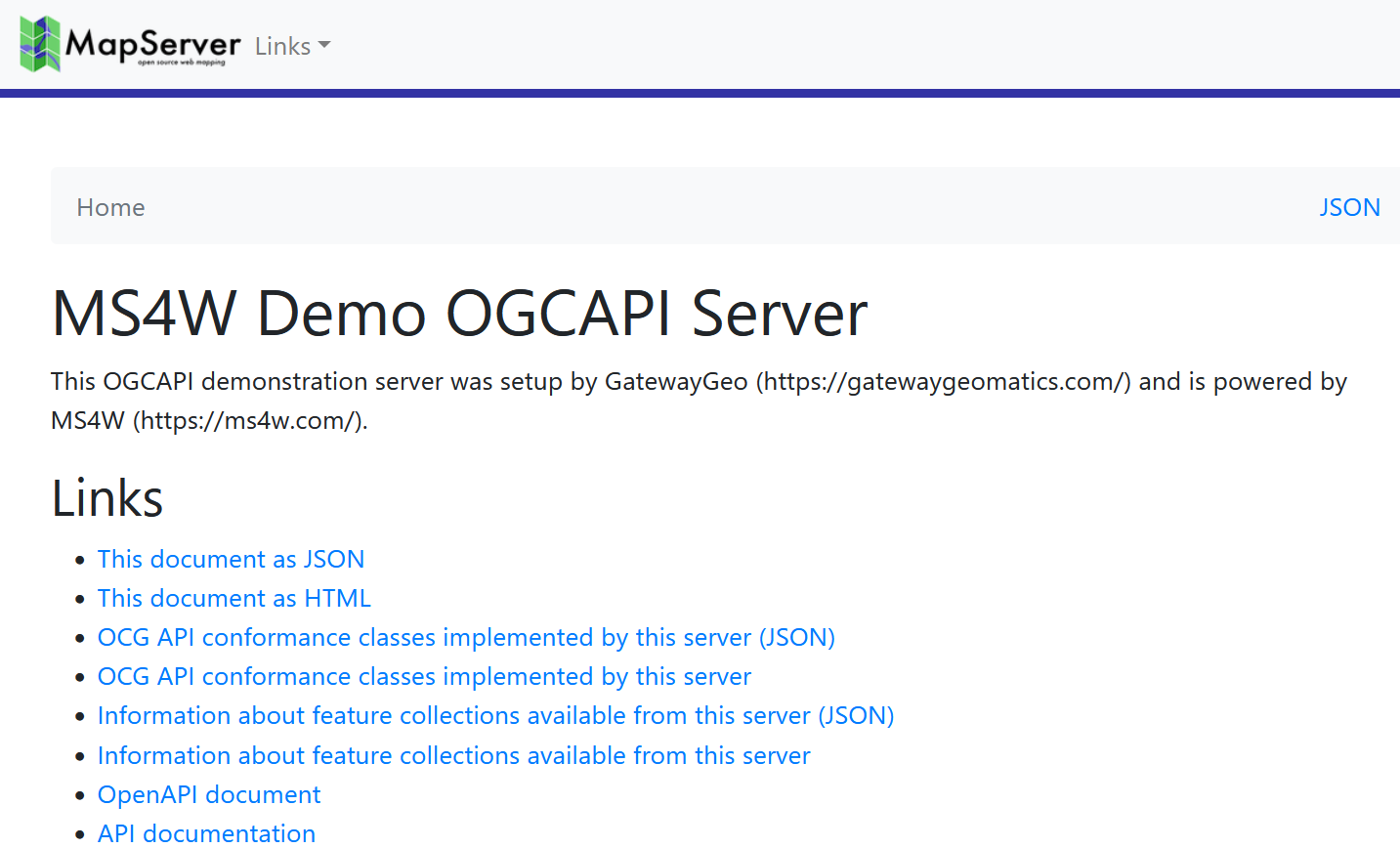
Tip
See a live MapServer 8.0 OGCAPI: Features landing page at https://demo.mapserver.org/cgi-bin/mapserv/localdemo/ogcapi
Collections
you can access your OGC API collections with a url such as ogcapi/collections?f=json (JSON) or ogcapi/collections?f=html (HTML) such as:
http://127.0.0.1/cgi-bin/mapserv.exe/ + your mapfile alias + /ogcapi/collections?f=html
or in the above example, it would be:
http://127.0.0.1/cgi-bin/mapserv.exe/localdemo/ogcapi/collections?f=html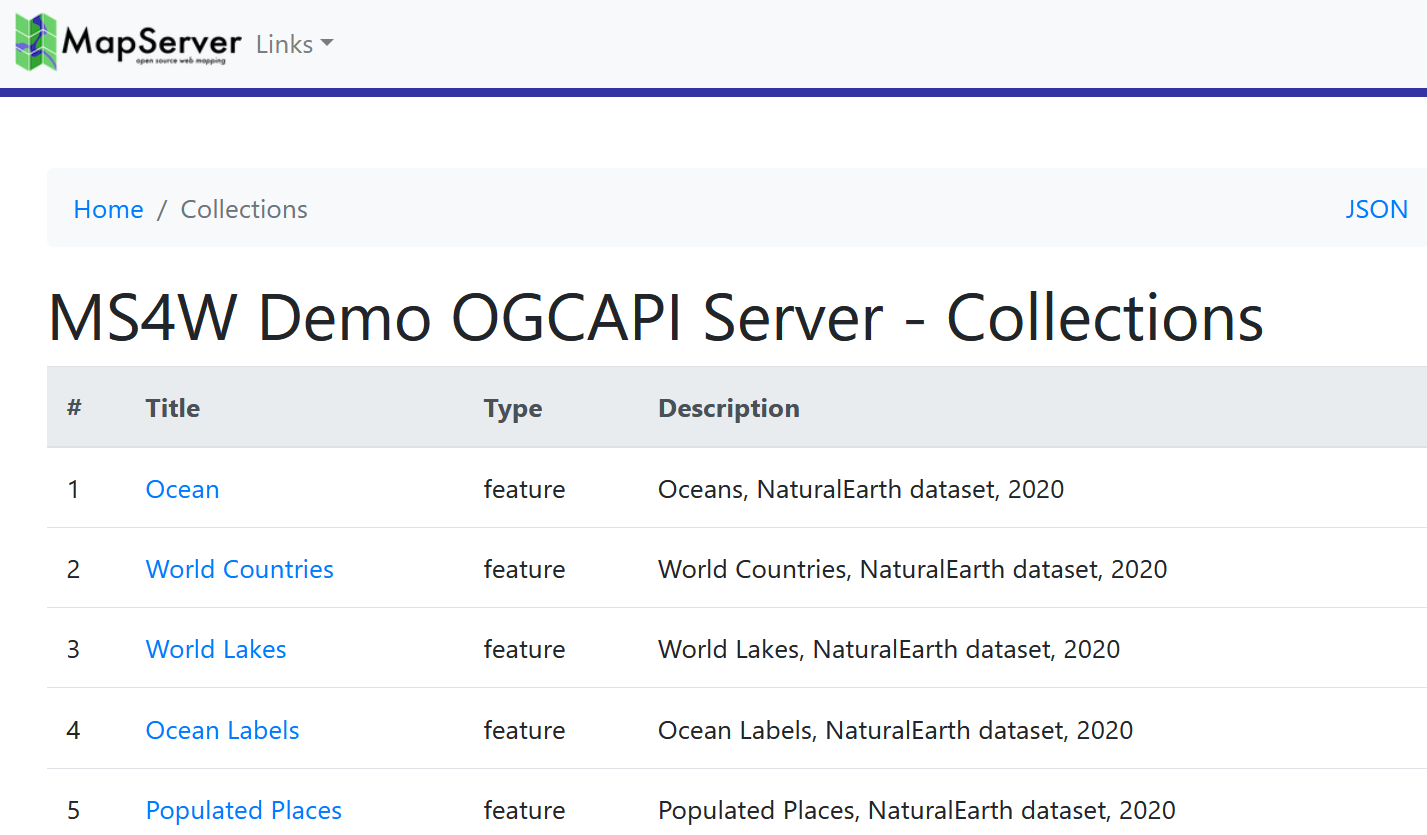
Tip
See a live MapServer 8.0 OGCAPI: Features collection at https://demo.mapserver.org/cgi-bin/mapserv/localdemo/ogcapi/collections?f=html
Collection Items
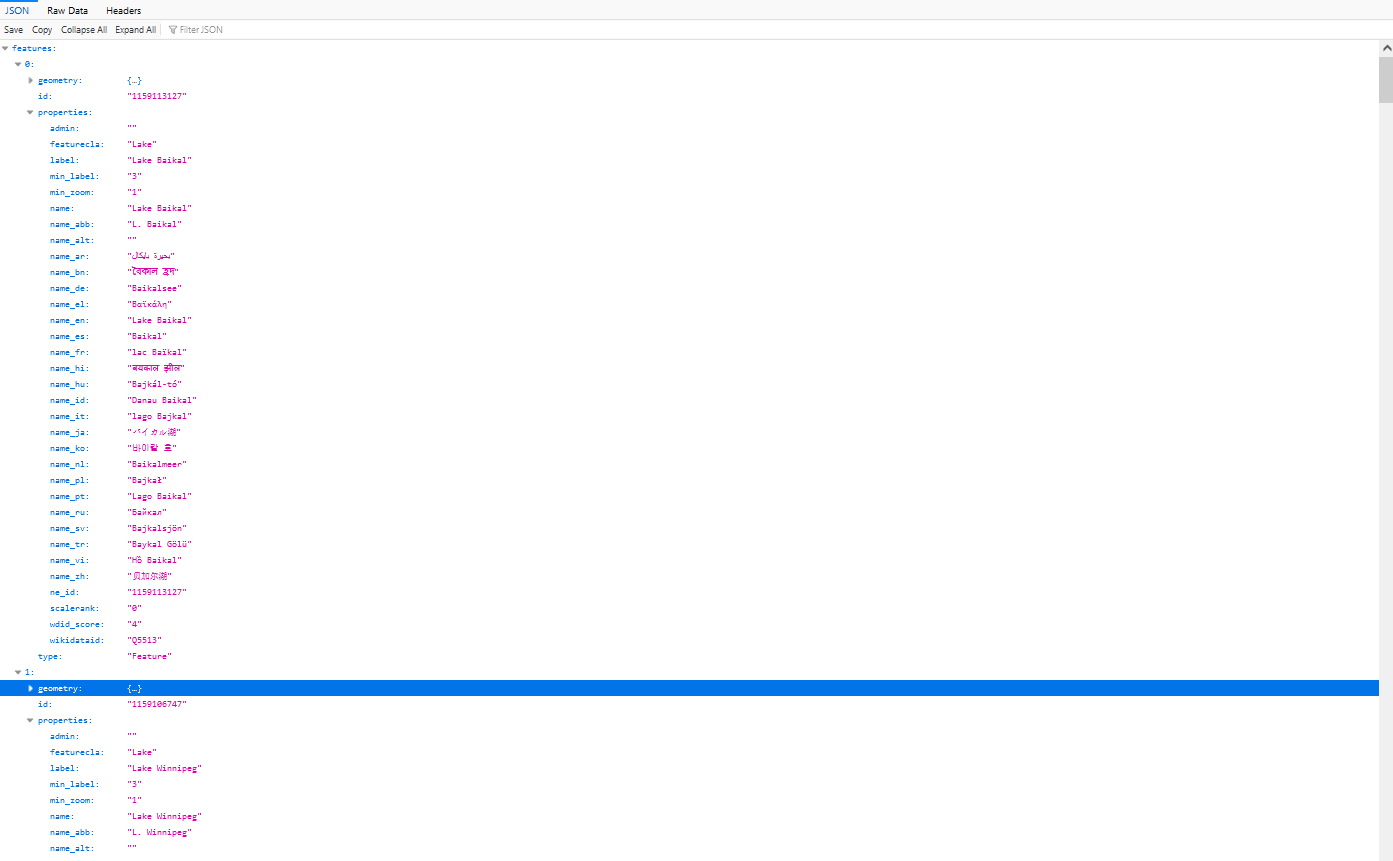
you can access a specific OGC API collection item in GeoJSON such as ogcapi/collections/layername/items?f=json such as:
http://127.0.0.1/cgi-bin/mapserv.exe/ + your mapfile alias + /ogcapi/collections/ + layername + /items?f=json
or in the above example, it would be:
http://127.0.0.1/cgi-bin/mapserv.exe/localdemo/ogcapi/collections/lakes/items?f=jsonTip
Another clear reason to never use spaces or special characters in your mapfile’s layer NAME parameter.
Tip
See a live MapServer 8.0 OGCAPI: Features collection item (as GeoJSON) at https://demo.mapserver.org/cgi-bin/mapserv/localdemo/ogcapi/collections/lakes/items?f=json
you can access your OGC API collection items in HTML such as ogcapi/collections/layername/items?f=html such as:
http://127.0.0.1/cgi-bin/mapserv.exe/ + your mapfile alias + /ogcapi/collections/ + layername + /items?f=html
or in the above example, it would be:
http://127.0.0.1/cgi-bin/mapserv.exe/localdemo/ogcapi/collections/lakes/items?f=html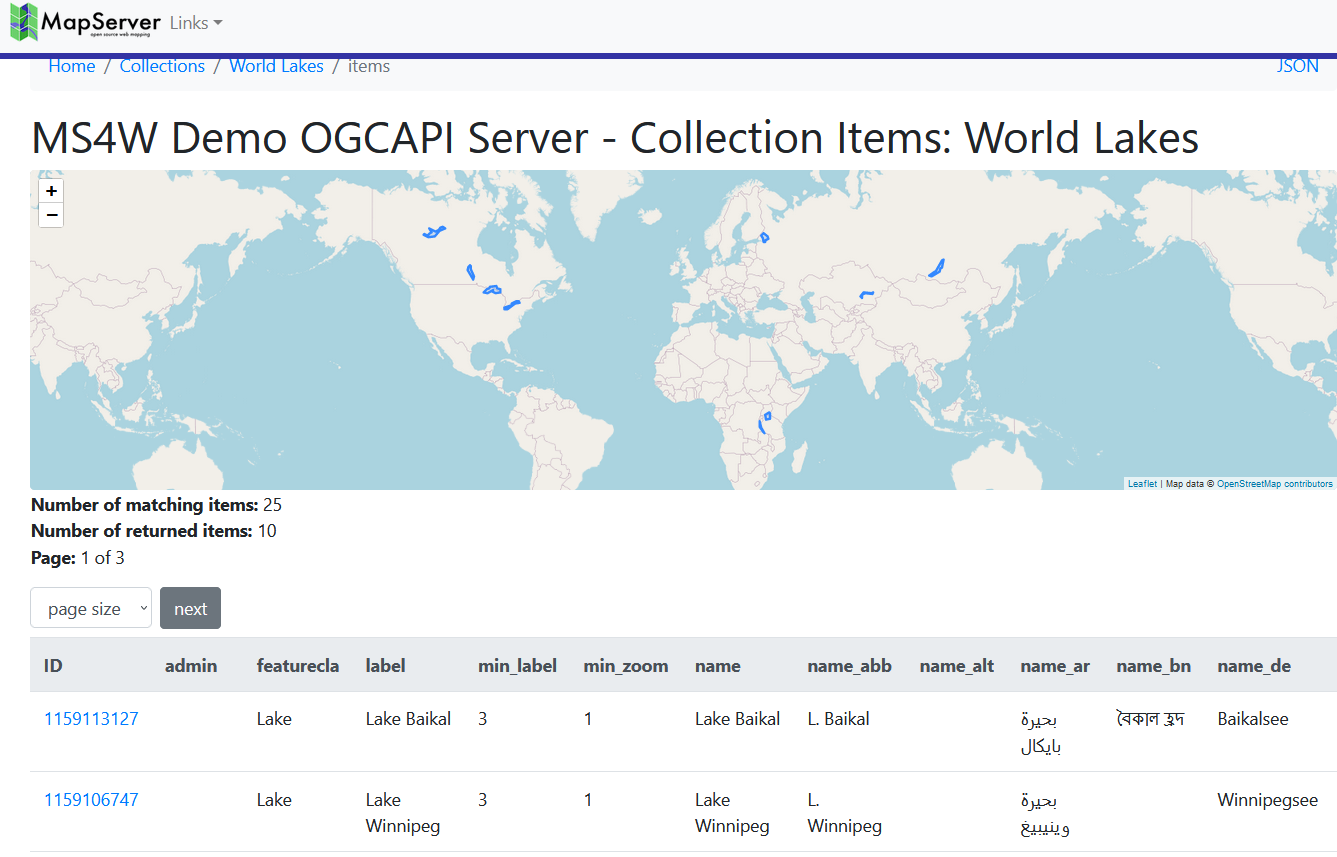
Tip
See a live MapServer 8.0 OGCAPI: Features collection item (in HTML) at https://demo.mapserver.org/cgi-bin/mapserv/localdemo/ogcapi/collections/lakes/items?f=html
API Document
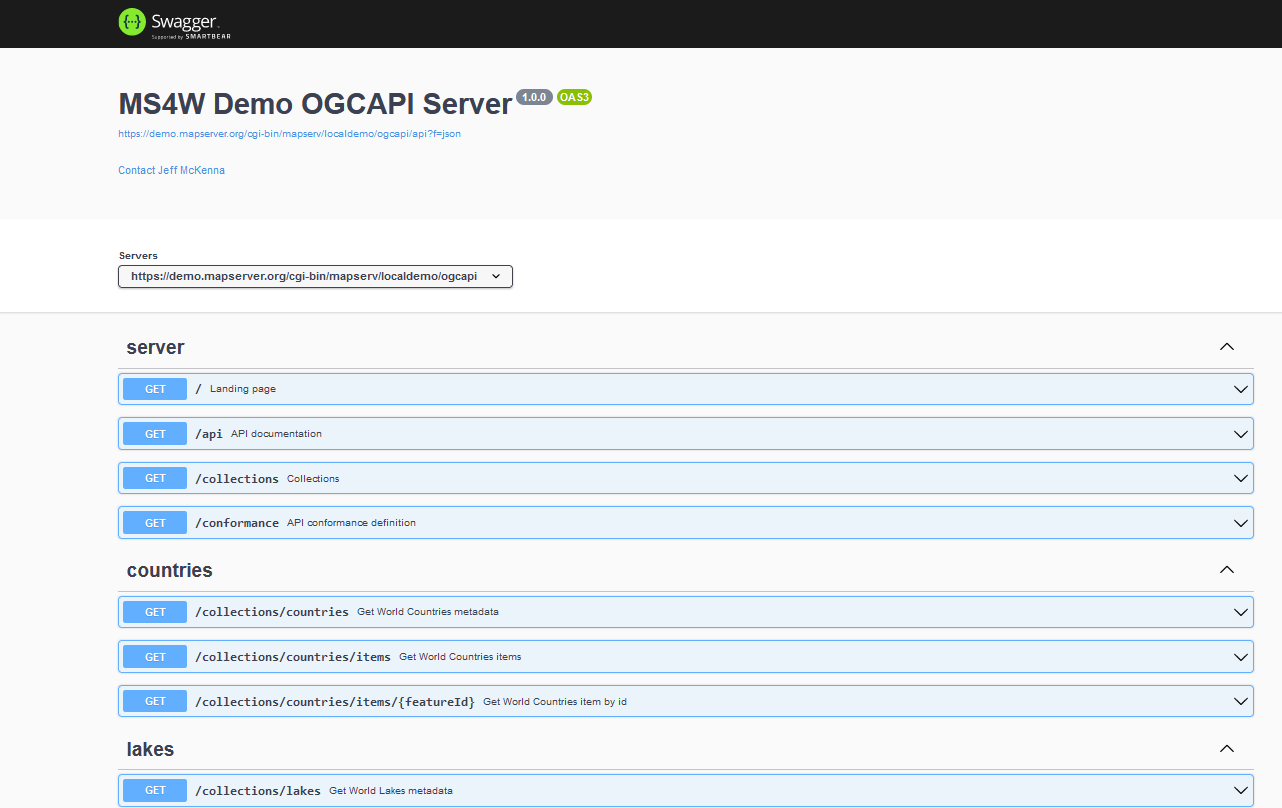
you can access your OGC API document with a url such as ogcapi/api?f=json (JSON) or ogcapi/api?f=html (HTML) such as:
http://127.0.0.1/cgi-bin/mapserv.exe/ + your mapfile alias + /ogcapi/api?f=json
or in the above example, it would be:
http://127.0.0.1/cgi-bin/mapserv.exe/localdemo/ogcapi/api?f=json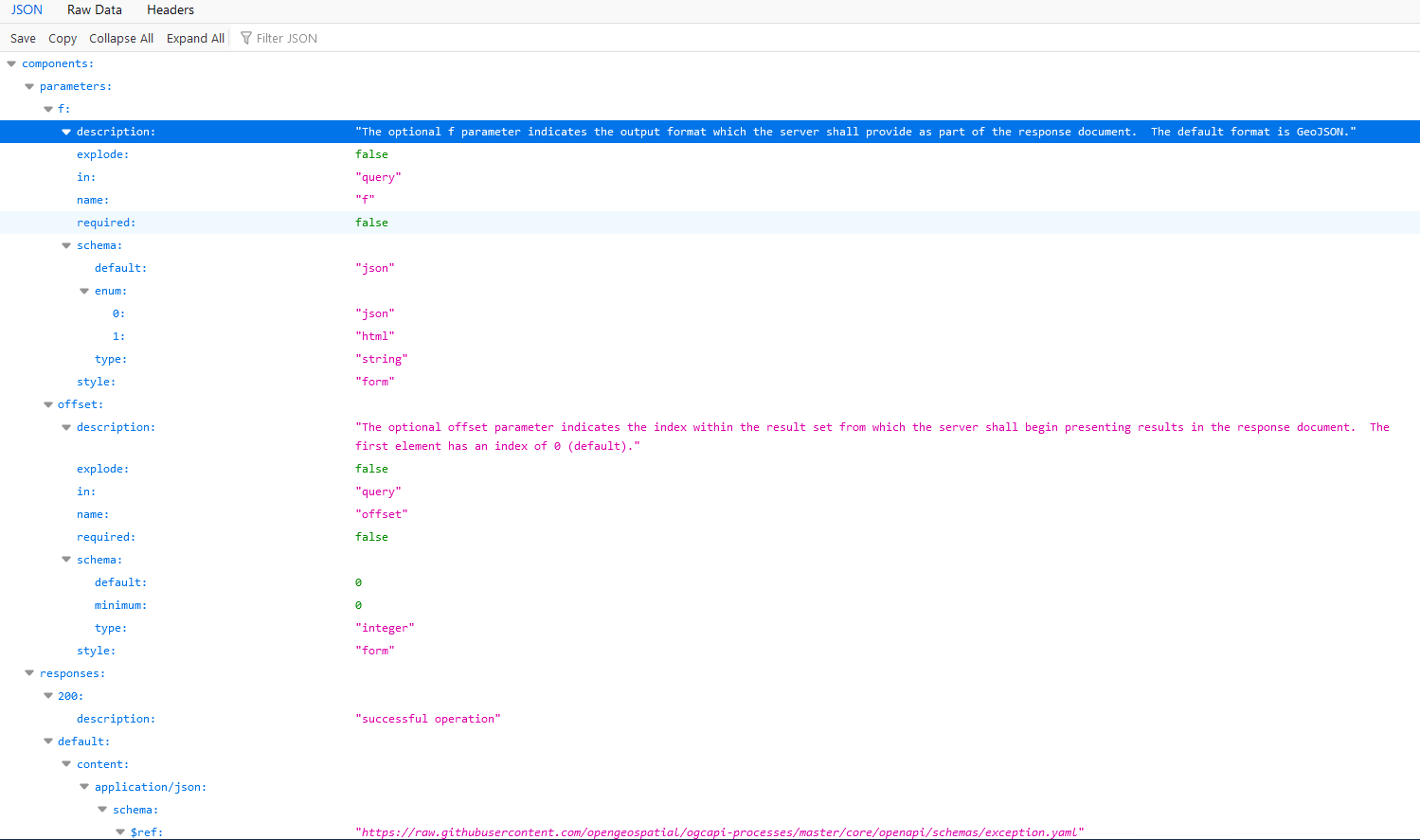
Tip
See a live MapServer 8.0 OGCAPI: Features API document (in HTML) at https://demo.mapserver.org/cgi-bin/mapserv/localdemo/ogcapi/api?f=html
Further Configuration
The following metadata may be used for additional configuration of the service:
Web Object Metadata
oga_extra_params
Added in version 8.6.0.
Description: (Optional) The
oga_extra_params(orows_extra_params) metadata entry allows you to append additional query parameters to all URLs generated by MapServer. This can be used, for example, to include authentication tokens such as JSON Web Tokens (JWT) in your API requests.The value supports Run-time Substitution, where tokens in the form
%TOKEN%, are replaced with validated values from the query string or cookies. Parameters are validated against the rules in the VALIDATION block, and are case-insensitive.ows_extra_paramscan also be set at theLAYERMETADATAlevel, for adding or overriding parameters at the collection-level. Example Mapfile:WEB VALIDATION 'token' '^[A-Za-z0-9\-_]+\.[A-Za-z0-9\-_]+\.[A-Za-z0-9\-_]+$' 'user_id' '^[0-9]+$' # only allow integers 'default_token' 'MISSING' 'default_user_id' '-1' END METADATA "ows_extra_params" "token=%TOKEN%&user_id=%USER_ID%"
Example URL:
http://127.0.0.1/cgi-bin/mapserv.exe/localdemo/ogcapi?f=html&token=eyJ9.e30.SflKxw&user_id=938
Will return JSON containing the same parameters and values for all links:
{
  "description": "This is a demo OGC API server.",
  "links": [
    {
      "href": "http://127.0.0.1/cgi-bin/mapserv.exe/localdemo/ogcapi?f=json&token=eyJ9.e30.SflKxw&user_id=938",
If a parameter is missing or invalid, it is replaced by the corresponding default value (e.g.,
MISSINGfor token,-1for user_id). Example URL:http://127.0.0.1/cgi-bin/mapserv.exe/localdemo/ogcapi?f=html&token=@@@@@&user_id=a03kf-9
Will return:
{
  "description": "This is a demo OGC API server.",
  "links": [
    {
      "href": "http://127.0.0.1/cgi-bin/mapserv.exe/localdemo/ogcapi?f=json&token=MISSING&user_id=-1",
The extra parameters are available in HTML templates for the OGC Features API as
{{ template.extra_params }}. The templates supplied in the MapServer repository append this value to all URLs by default.
oga_fallback_to_map_extent
Added in version 8.8.0.
Description: (Optional) (or
ows_fallback_to_map_extent) When set totrue, if aLAYERhas no explicit EXTENT and noows_extentmetadata item, MapServer will use the MAP EXTENT as a fallback rather than querying the datasource to calculate the layer extent. The full priority order for extent resolution is:Layer
ows_extent(or namespace-specificoga_extent) metadataLayer
EXTENTMap
EXTENT, if this metadata item is set totrue(this option)Extent calculated from the datasource
Datasource extent calculation can be very slow for database layers. For some layer types (e.g. raster), it may be near-instant.
This item can be set in
MAP WEB METADATAto apply to all layers, and can be overridden per-layer inLAYER METADATAto enable or disable the fallback for specific layers.
oga_features_cache_count
Added in version 8.8.0.
Description: (Optional) (or
ows_features_cache_count) Number of features to cache. See wfs_features_cache_count for details.
oga_features_cache_size
Added in version 8.8.0.
Description: (Optional) (or
ows_features_cache_size) Size of cache in bytes. See wfs_features_cache_size for details.
oga_geometry_format
Added in version 8.8.0.
Description: (Optional) Value among “geometry-point”, “geometry-multipoint”, “geometry-linestring”, “geometry-multilinestring”, “geometry-polygon”, “geometry-multipolygon”, “geometry-geometrycollection”, “geometry-any” (default value), “geometry-point-or-multipoint”, “geometry-linestring-or-multilinestring” and “geometry-polygon-or-multipolygon”
Example Mapfile:
LAYER
  METADATA
    "oga_geometry_format" "geometry-polygon-or-multipolygon"
  END
END
oga_queryable_items
Added in version 8.8.0.
Description: (Optional) Comma separated list of items that can be used for filtering at the /items endpoint (either as <item>=<value> query parameters and/or through the filter=<cql2-text>|<cql2-json> query parameter). “all” can also be used as a special value to indicate that all items can be queried. If not specified, no items are queryable. The list of queryable items is returned at the /collections/{collid}/queryables URL.
Example Mapfile:
LAYER
  METADATA
    "oga_queryable_items" "name,count"
  END
END
oga_sortable_items
Added in version 8.8.0.
Description: (Optional) Comma separated list of items that can be used for sorting at the /items endpoint (through the sortby=[+-]?item query parameter). “all” can also be used as a special value to indicate that all items can be used as sorting key. If not specified, no items can be used as sorting keys. The list of queryable items is returned at the /collections/{collid}/sortables URL.
Example Mapfile:
LAYER
  METADATA
    "oga_sortable_items" "name,count"
  END
END
oga_use_default_extent_for_getfeature
Added in version 8.4.0.
- Description: (Optional) (or
ows_use_default_extent_for_getfeature) Use
MAPEXTENTas a spatial filter if no bbox is in the request. Setting to"false"can improve performance. See WFS equivalent at wfs_use_default_extent_for_getfeature.
- Description: (Optional) (or
ows_schemas_location
Added in version 8.2.0.
Description: (Optional) (Note the name ows_schemas_location because all OGC Web Services (OWS) use the same metadata) Root of the web tree where the family of OGC API JSON Schema files are located. This must be a valid URL where the actual .yaml files are located if you want your OpenAPI description to be valid. Default is http://schemas.opengis.net
Layer Object Metadata
oga_fallback_to_map_extent
Added in version 8.8.0.
Same as oga_fallback_to_map_extent in
MAP WEB METADATA, and can be set here to override the behaviour for individual layers.
oga_use_default_extent_for_getfeature
Added in version 8.4.0.
Same as oga_use_default_extent_for_getfeature in
MAP WEB METADATA, and can be set here to override the behaviour for individual layers.